Codex Reset: OpenAI’s Billing Fix Makes GPT-6.2 Hit Limits Sooner
OpenAI says Astra users will hit limits 40% faster and Sol users 25% faster. Here’s how to use the banked Codex reset and measure the impact.
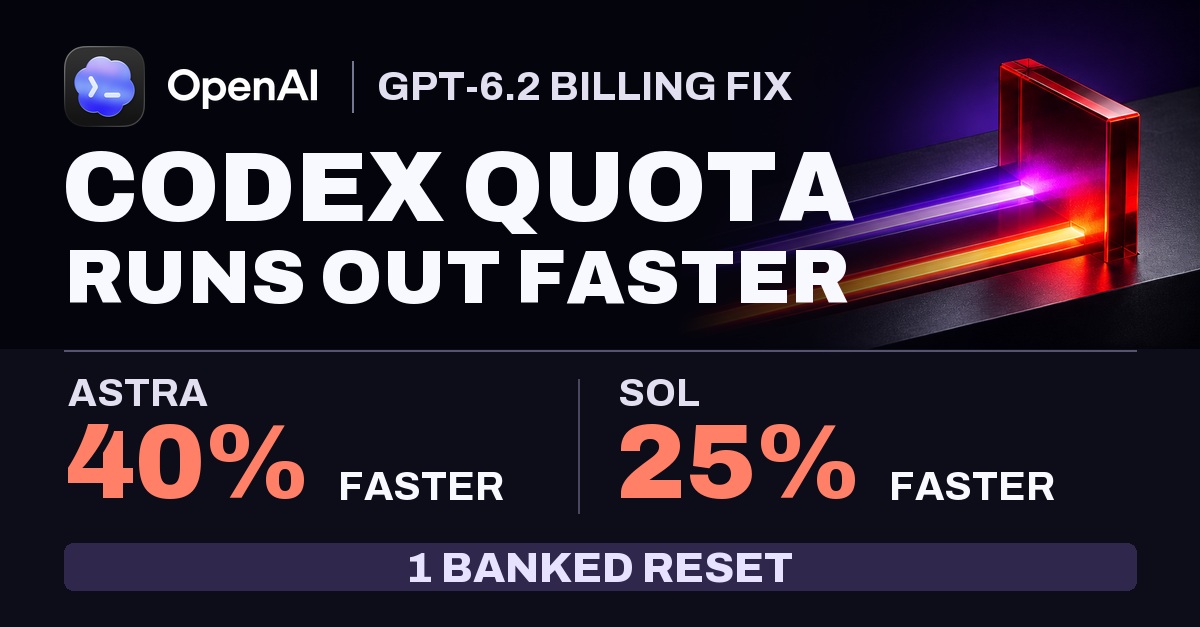
OpenAI is offering a banked Codex reset after correcting a billing error that made GPT-6.2 Astra and Sol work draw less from subscribers’ allowances than intended. Thibault Sottiaux, OpenAI’s head of Codex, said late on Nov. 25 in the U.S. that users will hit their limits 40% faster on Astra and 25% faster on Sol than the previous week. Go, Plus, Pro and Business subscribers get one reset they can redeem starting Nov. 26. Sottiaux’s announcement, OpenAI’s follow-up email, shared by a recipient.
Why GPT-6.2 now uses more of your Codex allowance
OpenAI introduced Astra and Sol on Nov. 17, pitching Astra for hard projects and Sol for everyday work. In its first notice, OpenAI said it had counted some Codex requests too lightly, including requests in Ultrafast mode. Its follow-up says the corrected counting applies only to future usage. OpenAI says it will honor the original counting for past usage and charge no difference. The correction affects how much work the plan covers at its current price, and subscribers keep the paid credits they already have. First notice, follow-up notice.
Last week is the baseline for both percentages. Sottiaux still expects each updated model to go further on its allowance than its respective predecessor, GPT-6 Astra or GPT-6.1 Sol. The announcement gives the relative change and leaves open how it was calculated across plans, tasks and speed settings. If five comparable jobs used 10 points of allowance before and use 14 now, that’s a 40% increase in draw. A fixed allowance would buy about 71% as many of those jobs. Those figures illustrate the arithmetic using a hypothetical set of tasks. If you use a subscription login in Codex, the numbers to watch are your plan’s usage meter and next refresh time. Codex sessions authenticated with an API key follow the API rate card. Sottiaux on the comparison, OpenAI’s Work and Codex billing guide.
Speed matters when you compare two runs. OpenAI’s published Ultrafast rules say Pro $500 draws from the included allowance at six times the selected model’s Standard rate for either GPT-6.2 model. Pro $200 has GPT-6.2 Sol Ultrafast in Codex at the same multiplier. That multiplier is part of the published speed setting. The 40% and 25% figures describe the change from last week’s counting. For a comparison, record the speed alongside the model and reasoning setting. OpenAI’s Ultrafast billing rules.
OpenAI has also announced that ChatGPT and Codex will start sharing an allowance on Plus, Pro and Business in December as Work features move into the main ChatGPT experience. A small group may see that change earlier. Use the allowance labels in your account to tell which window your work is drawing from. OpenAI’s shared-usage rollout.
How to use the banked Codex reset
In the desktop app, open Settings → Usage & billing. On the web, open Usage settings. Select the available reset, read its expiration and the allowances it covers, then confirm when you need it. In Codex CLI, enter /usage and select Redeem reset if your version offers it. A banked reset stays available until you use it or it expires. OpenAI’s guide says at least one covered allowance needs to be below 80% remaining to redeem it from Usage settings. OpenAI’s reset instructions.
OpenAI’s guide lists these windows for a full banked reset. Check what your specific offer covers, especially if you’re on a managed Business workspace.
| Plan | Windows covered by a full reset |
|---|---|
| Go | Monthly |
| Plus and Business Standard | Five-hour and weekly |
| Pro $100, $200 and $500 | Weekly |
A covered window below 100% returns to 100% when you redeem a full reset. A window already at 100% keeps its existing cycle. If a reset restarts your weekly period on Thursday, plan around the new refresh time shown in Usage. A reset refreshes the covered allowance once, so save it for work that will outlast your remaining usage and can’t wait for the scheduled refill. OpenAI’s reset timing examples.
Business teams also got a Nov. 24 announcement that paired a banked reset with Fast mode at no extra charge through Dec. 31. If you’re looking for the new grant, the desktop app’s History under Usage limit resets shows when banked resets were added and when they were used. Business announcement, OpenAI’s guide to reset history.
What developers can tell from the meter
One Pro subscriber replying to Sottiaux said they had already used a week’s Astra allowance in a few hours before the correction. Another Pro subscriber on OpenAI’s developer forum asked for a before-and-after example that says whether the figures refer to allowance per task or time until the meter runs out. These are individual reports, and neither gives a controlled estimate of what a typical account can do. Pro subscriber’s reply, developer forum post.
There’s another wrinkle if you try to reconstruct last week from the dashboard. A Nov. 24 report on the Codex GitHub tracker says GPT-6.2 Astra was absent from one user’s web usage breakdown even though their local CLI records showed turns configured for that model. The report leaves the serving model and the applied quota rate unverified. When the historical label and your records disagree, the dashboard alone may be a poor basis for a before-and-after estimate. Codex issue #63511.
What to do before your next long Codex run
Check the window you’re about to exhaust. If your plan shows both a five-hour and a weekly meter, check each one and its scheduled refill. If the shorter window is due to refill during lunch and you’ve got plenty of weekly usage, wait and keep the banked reset. If you need to finish a migration today and the weekly window is almost empty, the reset may be worth using. OpenAI’s explanation of overlapping limits.
Measure usage per accepted result. Pick a batch of comparable jobs your team often does, such as five small test repairs. Record the starting and ending percentages for the same allowance window. Use the same model, reasoning level and speed throughout the batch, and pause other work drawing from the same allowance if you can. Count a job only once the patch passes the test you specified. For example, if the weekly meter falls from 82% remaining to 68% and four of five patches pass, those four accepted results consumed 3.5 percentage points each on average. Include the review and retries in the batch. That will tell you more about next week’s capacity than counting prompts or minutes.
Try Standard Sol on the jobs with clear acceptance tests. Give it a bounded task, such as reproducing a regression and getting one failing test to pass. Take the jobs that repeatedly need more help and run a small comparison with Astra. The GPT-6.2 developer test checklist has a way to compare accuracy and review time on your own repository. Reserve enough weekly usage for the work that benefits from Astra before starting the routine batch.